How to Open Sitebuilder in DirectAdmin
You can only open Sitebuilder through your DirectAdmin panel. Below we explain how to do this.
1. Log in to Theory7
- Go to our website 'theory7.net' and click 'My T7' in the top right
- You can also log in directly via: https://my.theory7.net/login
- Creating a blog in Sitebuilder
You are now in the client area. To open DirectAdmin, you first need to select your hosting package.
2. Select your web hosting package
There are several ways to open your hosting package:
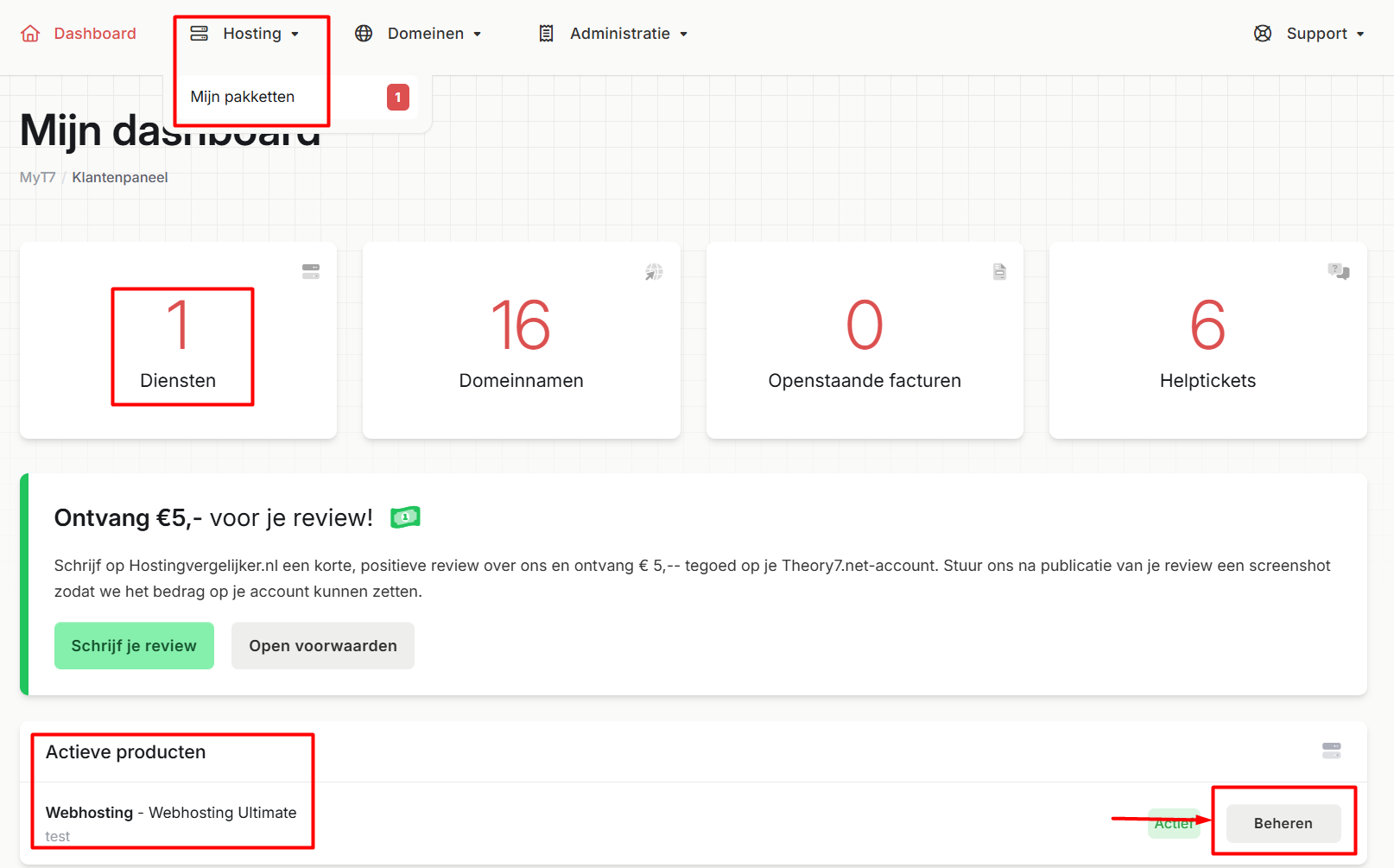
- click 'Hosting' at the top and select your package in the drop-down menu.
- click 'Services' in the large center block
- a little further down (under Active Products) your web hosting package is also shown; click 'Manage'
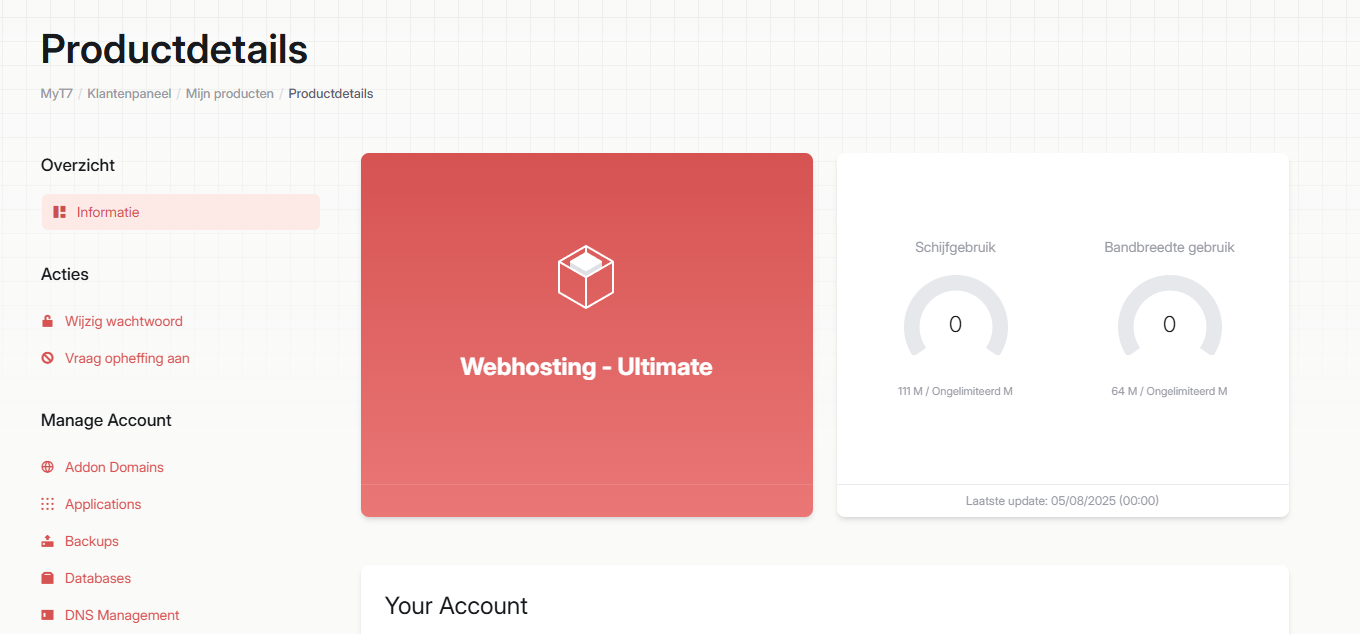
Once you have selected your hosting package, you land in your package's own environment (want to know more about the options you see here? Take a look at our guides about our client area).
3. Open DirectAdmin
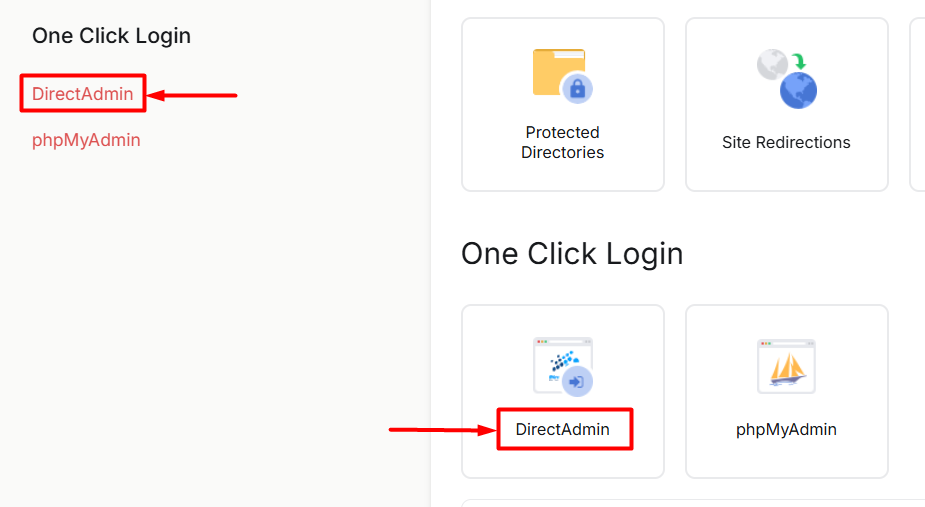
In the web hosting environment, scroll all the way down until you reach the 'One Click Login heading. Then click 'DirectAdmin. You will also find the same option on the tile next to it.
4. Open Sitebuilder
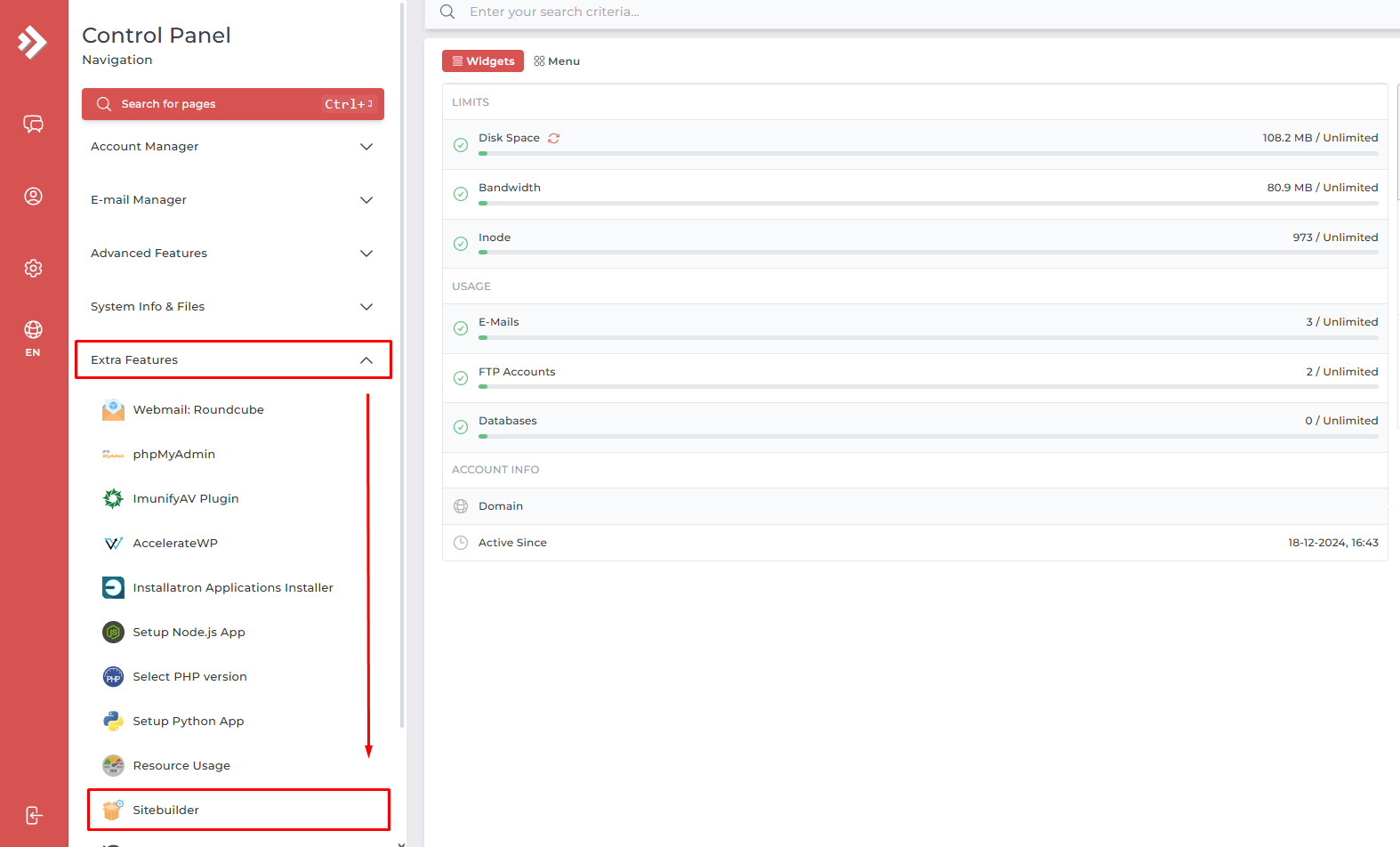
Once you have clicked the DirectAdmin link, you are in the DirectAdmin control panel.
Next, click the arrow next to 'Extra Features'. A drop-down menu opens, with the 'Sitebuilder' option at the bottom. When you click it, the Sitebuilder program opens.
5. Pay attention if you have multiple domains
If you use multiple domains, make sure that at the top right of the page you select the domain you want to use Sitebuilder for.

You are now ready to start on your website! Check out our guides that help you further with building a website in SiteBuilder, or ask our support team your question via: https://www.theory7.net/support/en-us
Looking for a website builder? See our offer.
0 van 0 vonden dit nuttig
