How to Link Your Domain to Your Hosting Package
You have ordered your domain name and of course you want to get started right away on building or showing a great website. Or maybe you simply want to create an email address so you can send email on behalf of your domain name, which is of course possible too. To do this, you need to link the domain to your hosting package.
If your domain and package are in the same account, you're done in just a few clicks. If the domain is under a different user or with another provider, that's no problem at all either.
My domain is in my Theory7.net account.
- Log in to the correct account, the one that holds both the domain and the package.
- In the top menu, click 'Domains' and then 'My Domains'.
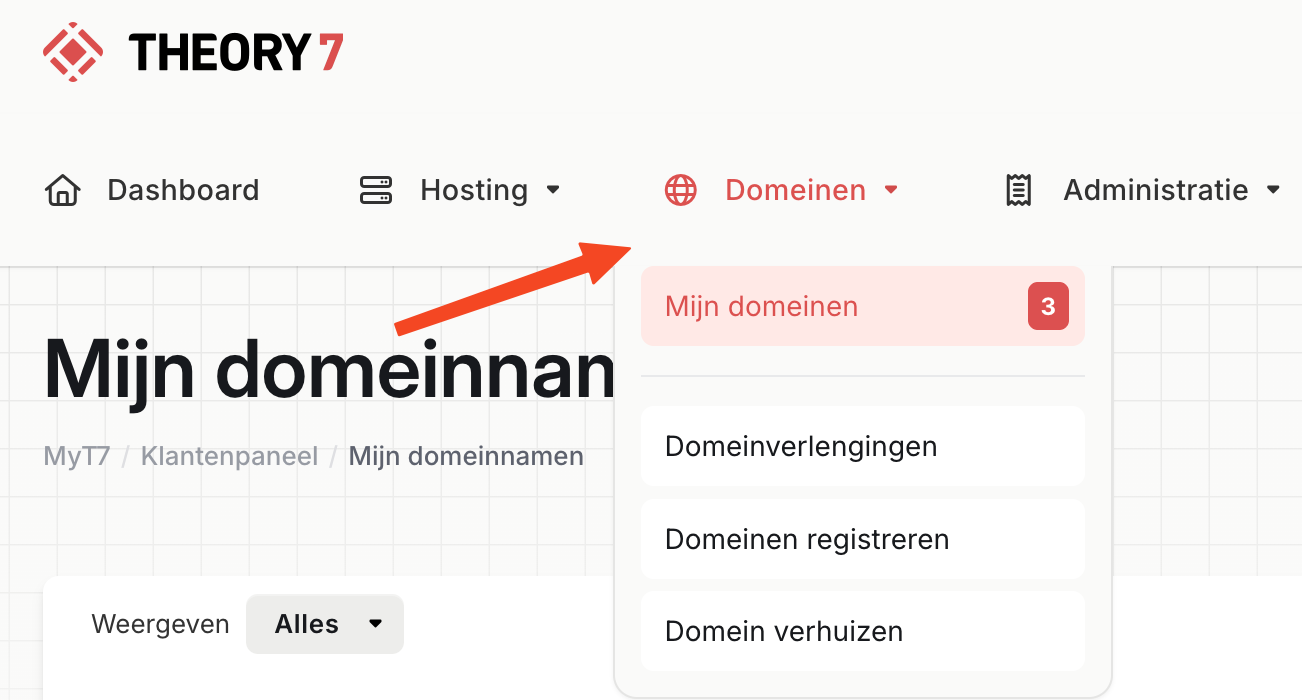
- Click 'Manage next to the domain you want.
- Then, in the window, click 'Link a hosting package' and select the package you want.
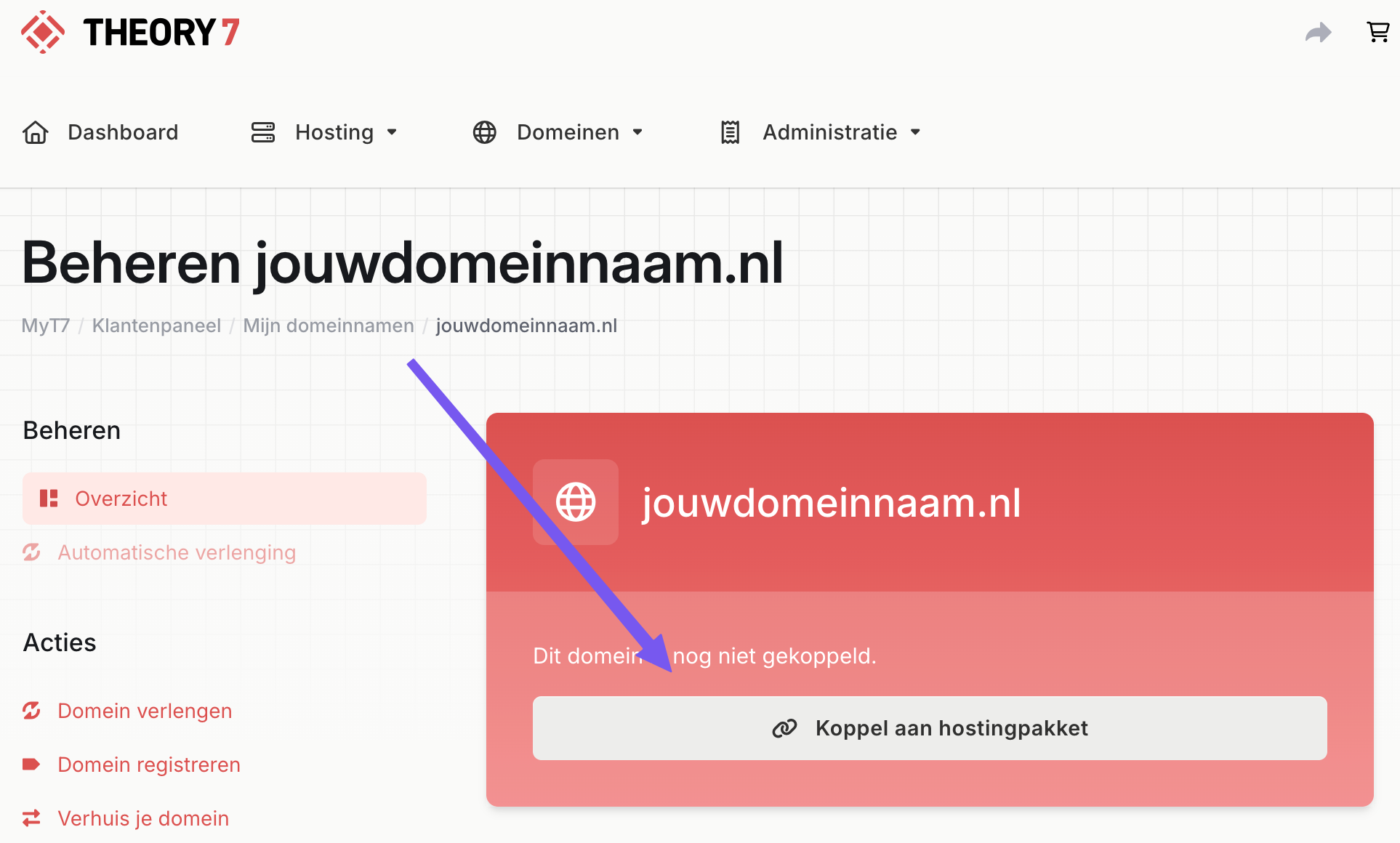
You have now successfully linked your domain to the package you want!
Keep in mind that it can take up to 4 hours before this is visible to everyone and DNS has been fully processed.
My domain is registered elsewhere.
The following steps can differ per provider, but we try to keep them as general as possible.
- First add the domain to your hosting package.
- Log in at the provider where the domain is registered.
- Go to the domain management for the domain, often found under Domains > My Domains
- Change the nameservers to those of Theory7.net.
| Nameserver 1 | ns.theory7.eu |
| Nameserver 2 | ns.theory7.net |
| Nameserver 3 | ns.theory7.nl |
Depending on your current provider's processing time and DNS propagation, it can take up to 4 hours before your domain is linked to the package.
Still can't figure it out, or do you have questions? Feel free to contact our support!
Looking for web hosting packages? View our plans.
0 van 0 vonden dit nuttig
