Move your websites to Theory7 with a DirectAdmin backup
Wondering how to quickly and effortlessly move your websites from your current provider to your new hosting package at Theory7 (with DirectAdmin)? Then you've come to the right place! In this guide we explain step by step how to migrate your existing websites using a DirectAdmin backup.
To use this guide, you need the following:
- A DirectAdmin-based hosting package at your old provider
- An active hosting package at Theory7
1. Creating and downloading a backup
First, we create a backup at the old provider and download it.
Step 1
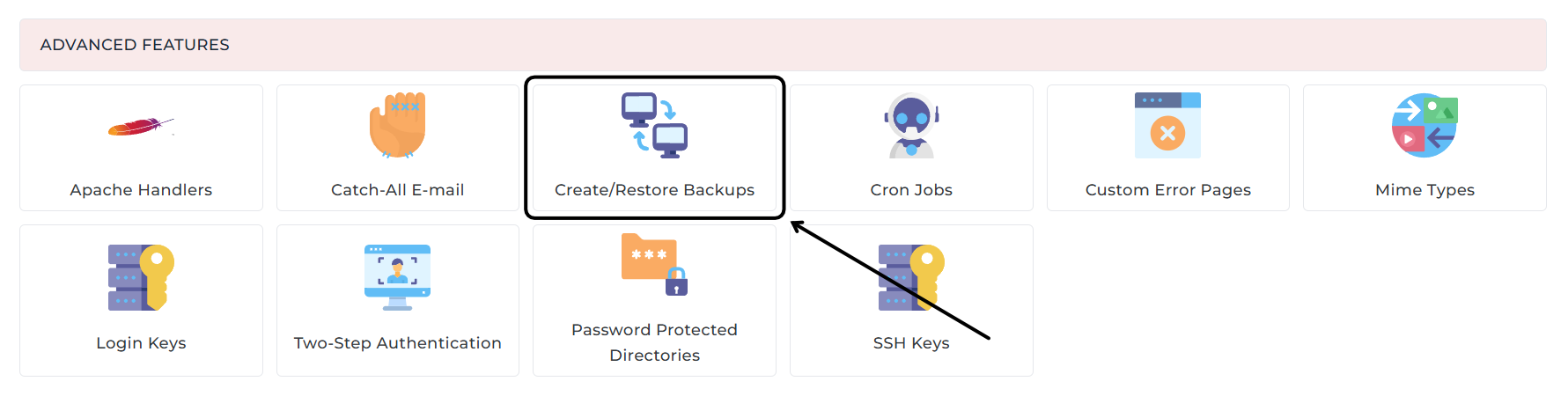
Log in to DirectAdmin at your old provider and click Create/Restore Backups under Advanced Features.
Step 2
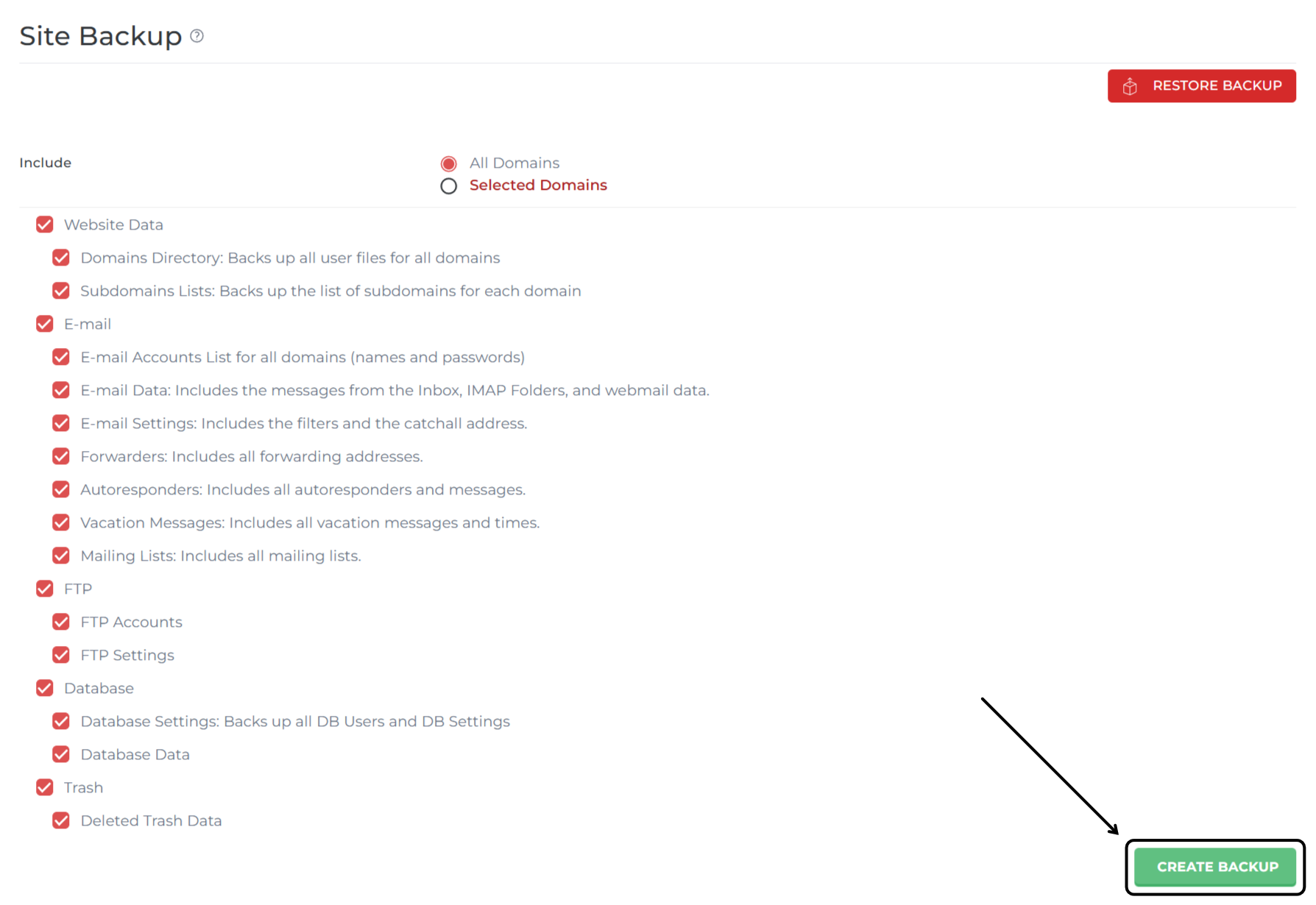
You'll get a list of options for what you can include in the backup. Our advice: select everything so you don't lose anything and everything is transferred 1 to 1. Click Create Backup to create a backup.
Optional: Under Include, you can use Selected Domains to include only a selection of your domains in the backup.
Step 3
As soon as the backup is complete, you'll get a notification in your messages in DirectAdmin. The backup is placed in the /backups folder in the root of your package (so above your domain name folder). Download the .tar.gz backup file to your computer. You can do this through the File Manager in DirectAdmin or, for example, through FTP/SFTP.
2. Uploading and importing the backup
Step 1
Now we're going to actually import the backup into your new Theory7 hosting package. First, create the /backups folder on your new Theory7 package, just like the one at your old provider.
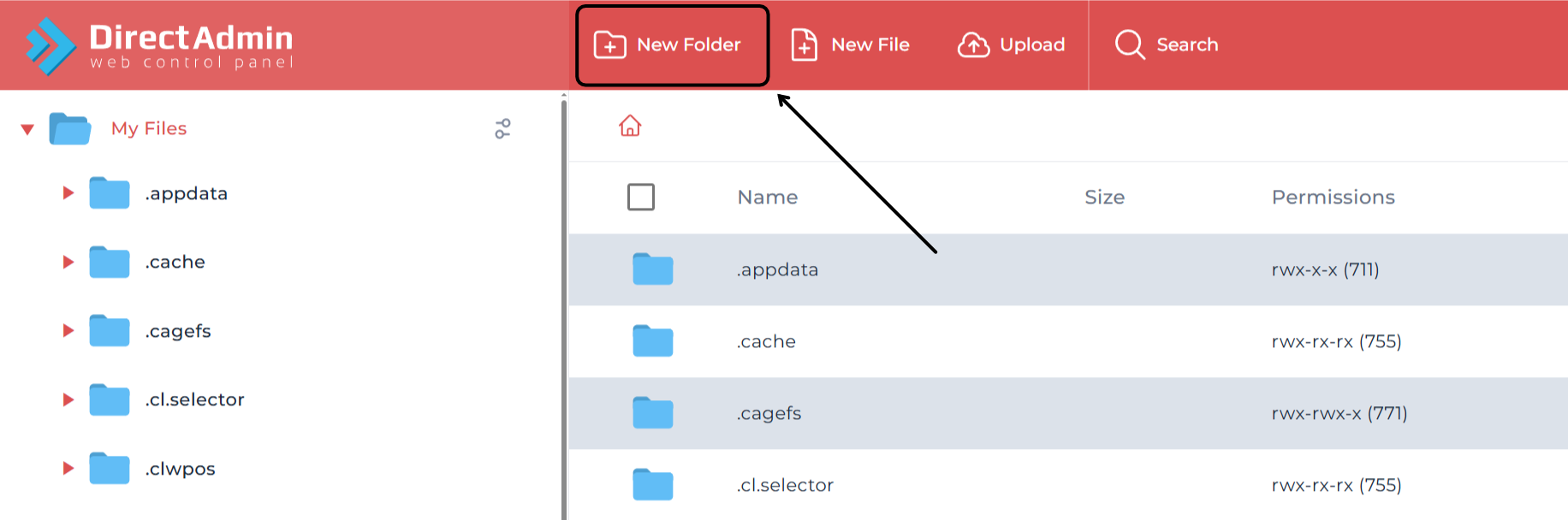
First, log in to your DirectAdmin environment and go to File Manager under System Info & Files. Then click My Files in the top left and click New Folder. Simply name the folder "backup". Make sure it sits next to the domains folder and not inside it.
Step 2
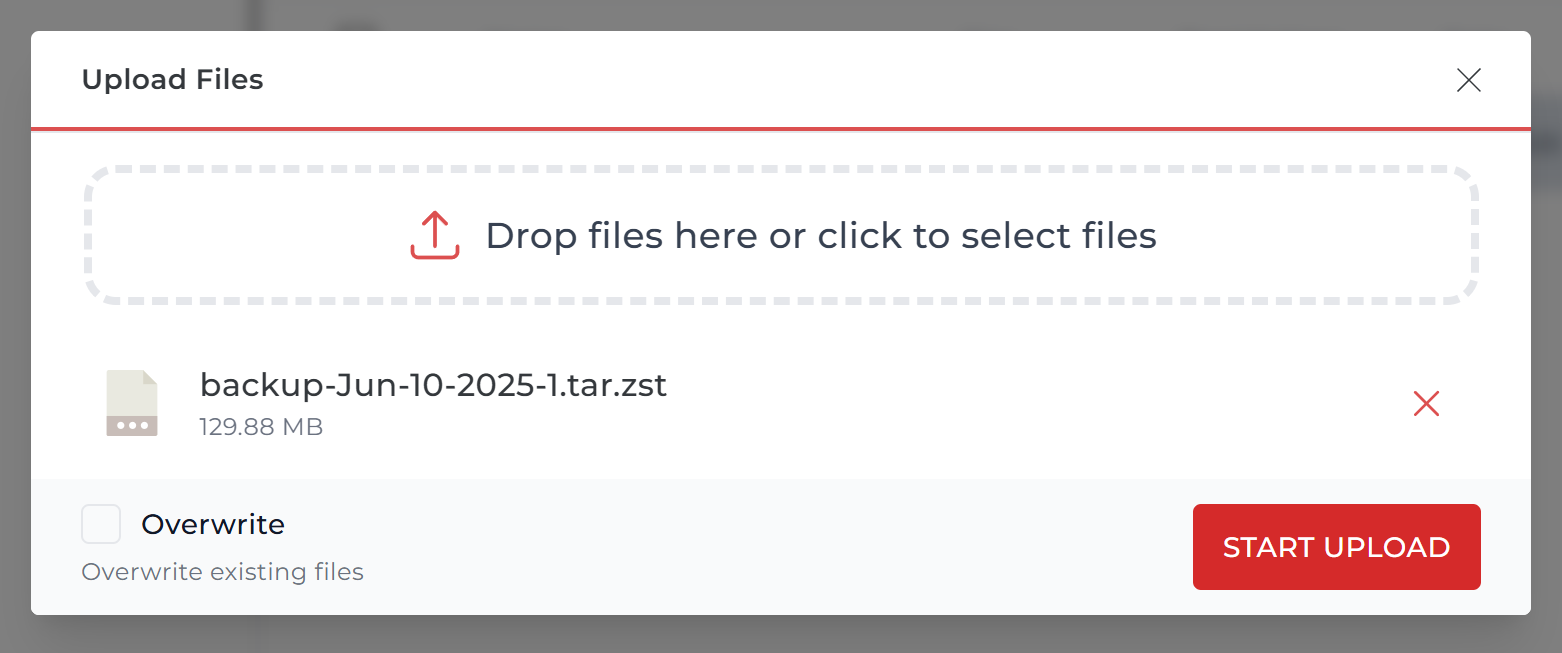
Now upload the backup file you downloaded from your old provider to your new package at Theory7. To do so, go to the backups folder you just created, click Upload, choose your backup file and then click Start Upload. Depending on the size of your backup, this may take a while.
If you'd rather do this through FTP/SFTP, that's of course possible too!
Step 3
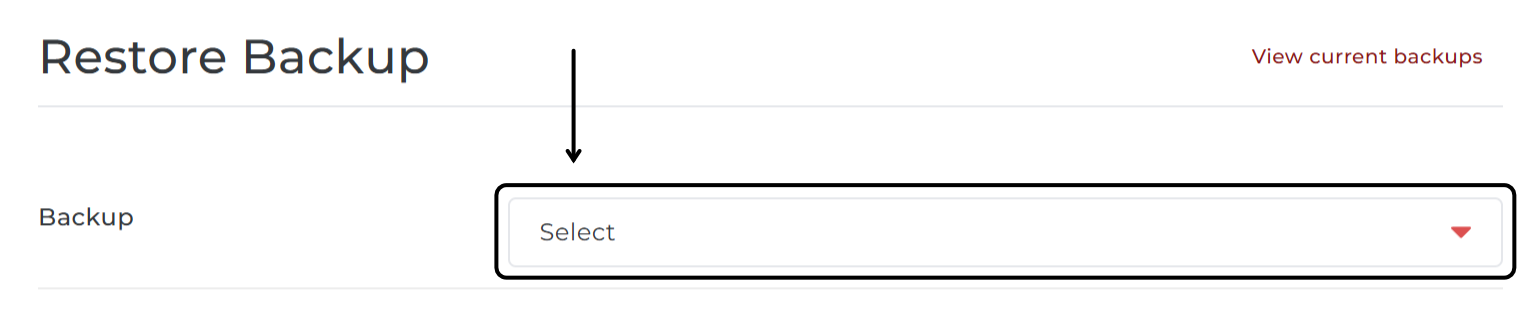
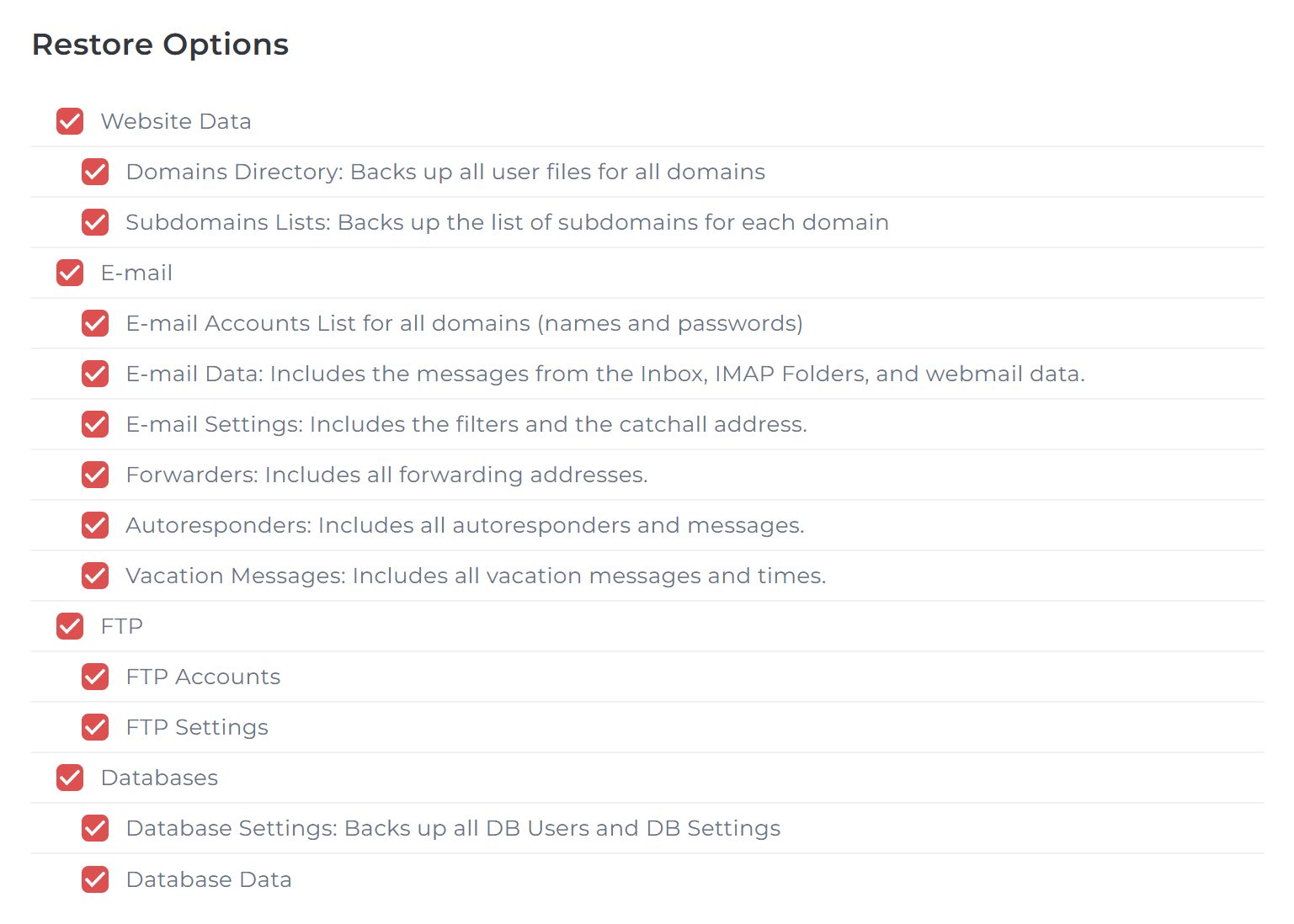
In your new package, now go to Create/Restore Backups and then click Restore Backup. Under Select, choose the backup you just uploaded to the backups folder. Then click Restore and your backup will be imported!
Important: If you get the option to restore the DNS zones (DNS Zones: Includes all A records and MX records), uncheck it. By unchecking it, you'll have our correct DNS records set up right away.
3. Checking the database settings
After importing the backup, the databases will also have been imported as you had them at your old provider. To make everything work properly from a technical point of view, DirectAdmin has also automatically changed the database name and database username to ones that fit your new package.
For this reason, you'll need to go through your database configurations. You can do this in your DirectAdmin File Manager.
Step 1
Open your website's configuration file. This differs per CMS, so it may take some searching. Below you'll find a list of the best-known CMS systems:
All paths start at /yourdomain.nl/public_html/
| WordPress | /wp-config.php |
| Joomla | /configuration.php |
| Magento 2 | /app/etc/env.php |
| Drupal 8/9/10 | /sites/default/settings.php |
Step 2
Now search the files for your old DirectAdmin username, for example with CTRL + F / CMD + F. Replace it everywhere with your new username. After that, your configuration is updated!
You can find your username by going to Site Summary / Statistics / Logs. At the top you'll see your username listed as "Details for user "t7x1234p1234w"". (this is an example username)
Final check!
In many cases the migration is now complete! Congratulations! There may still be references to your old username in some places in your website; you'll need to change those to your new username as well.
If you have any questions, feel free to get in touch, we're here for you!
Looking for web hosting packages? See our plans.
0 van 0 vonden dit nuttig
